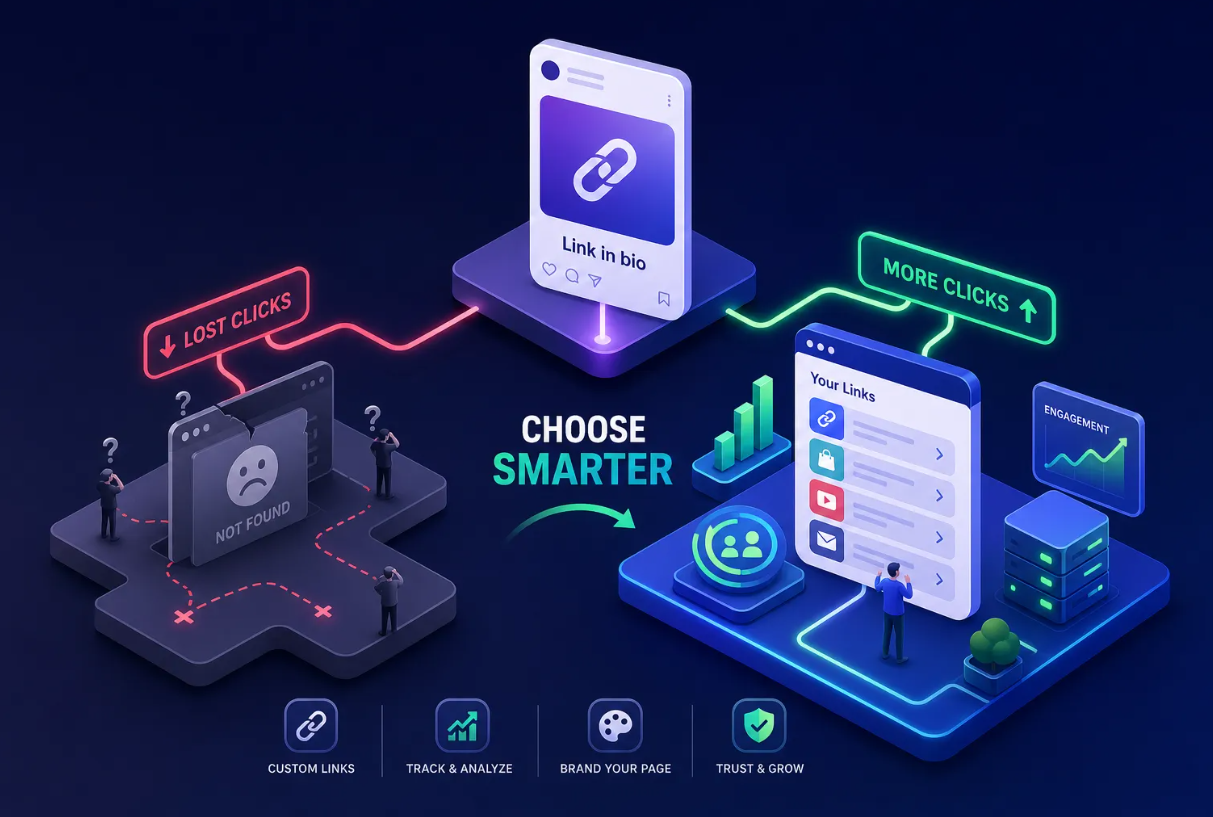
Many creators and small business owners pour time into their social profiles, craft the perfect post, and then send followers to a single static URL that does nothing but sit there. That one link represents every visitor you've earned, and a basic URL wastes it. Choosing the right bio page builder changes that math: one URL becomes a mobile-optimized hub that routes people to your products, content, newsletter, and more while tracking every tap along the way.
The problem is that not all bio page builders deliver on that promise. Some offer a bare-bones list of links with no analytics. Others lock useful features behind expensive plans or make design so rigid that your page looks like everyone else's. Choosing the wrong one can mean slow page loads, no email capture, and zero insight into what your audience actually clicks.
This article walks through the seven features that separate a genuinely useful link-in-bio builder from one that just checks a box. Binko serves as a reference point throughout, it's built to cover all seven, and you can start without a credit card. By the end, you'll know exactly what to look for and, with the right tool, you can often go live in under 15 minutes.
Why your bio page builder is your most valuable piece of real estate
The one-link problem every creator faces
Instagram, TikTok, and most social platforms give you one clickable link in your profile. As of 2026, that constraint shows no sign of changing. A bio page solves it by turning that single URL into a mini website: one link that points to your YouTube channel, your merch store, your newsletter signup, your latest podcast episode, and anything else your audience needs to find. A TikTok creator can send followers to five different destinations simultaneously instead of rotating a single link every time something new goes live.
What separates a basic link list from a real link-in-bio builder
A list of plain text links is not a bio page; it's a glorified bookmark folder. A proper creator landing page builder adds content widgets, branded themes, native analytics, and tools like QR code generators and email capture forms. These features turn passive profile visitors into active subscribers, buyers, and fans. The rest of this article focuses on exactly those differentiators so you can evaluate any builder with a clear checklist in hand.
1. Widget variety: the building blocks that make your bio page builder work
.png)
What widgets actually do for your audience
Widgets are the content blocks that make your bio page more than a list. Video embeds let visitors watch without leaving your page. Music players let fans hear your latest track. Product cards show inventory. Countdown timers build urgency for a launch. A bio site maker with only a handful of generic blocks forces you to link out for everything, which adds friction and can hurt conversions. Look for a full-featured link page creator with a large widget library, the broader the selection, the more content types you can serve without workarounds.
Matching widgets to your content type
Your widget needs depend on what you make and sell. A musician needs audio embeds and a merch link. A digital marketer needs a contact form and a social proof block. A local business owner needs operating hours and a booking button. Before you commit to any builder, map your actual content types to the widget library and confirm the match. A bio link maker that can't handle your content format will create workarounds that slow down every update you make.
2. Mobile optimization and visual themes: first impressions count
Why mobile-first is non-negotiable
The vast majority of bio page traffic arrives from mobile devices, driven directly from Instagram, TikTok, and YouTube profiles. If a page doesn't render cleanly on a 6-inch screen, the desktop editor quality is irrelevant. Mobile optimization means fast load times, touch-friendly tap targets, and layouts that don't require pinching or zooming. Google's mobile benchmarking data shows that pages taking longer than 3 seconds to load lose more than half their visitors before a single link gets clicked, which makes page speed a direct click-through rate lever, not a technical footnote.
Choosing themes that match your brand without a design degree
Template quality matters as much as template quantity. Look for variety in layouts, depth of customization (fonts, colors, button styles), and how fast you can get from a blank page to something that looks like you. Builders that lock you into a fixed template with no color control make it impossible to stand out. A strong bio page builder gives you enough creative control to look polished without requiring a designer. Binko's customizable themes are designed with mobile-first layouts in mind, so you're building for the experience your audience actually has.
3. Analytics that tell you what's actually working
The difference between vanity metrics and actionable data
A bio page with no tracking is a black box. Total page views tell you almost nothing useful. Actionable analytics show you clicks per individual link, click-through rates, traffic by country, referrer source, device type, and browser breakdown. With that data, you can move a high-performing link to the top of your page, cut one that nobody taps, or double down on the content type that drives the most engagement. Without it, you're rearranging furniture in the dark.
How built-in analytics beat bolting on third-party tools
Many creators try to patch this gap with UTM parameters or platform insights, but that creates friction and data gaps across multiple dashboards. A good bio page builder handles tracking natively. Binko's built-in analytics dashboard is designed to consolidate clicks, countries, referrers, browsers, and device data without requiring a separate Google Analytics setup. That matters for ROI, knowing which link drives the most taps tells you how to structure your page and where to point new campaign traffic.
4. The features most bio builders skip (but you shouldn't)
QR codes that connect your offline world to your bio page
Many link-in-bio alternatives prioritize digital traffic, while others add dynamic QR support that bridges the physical world. If you have print materials, product packaging, or in-store signage, QR codes can connect those touchpoints directly to your bio page. Dynamic QR codes do this without requiring a reprint every time your destination changes: update the linked content from a dashboard and the printed code still works. They also track scans exactly like link clicks, which makes your offline marketing measurable for the first time. Binko includes a QR code generator with branding options, so your offline and online presence can stay visually consistent.
Email capture forms built directly into your page
Growing an email list from a bio page is one of the highest-leverage moves available to a creator or marketer. Embedded email forms convert casual profile visitors into subscribers without routing them to a separate landing page, which reduces drop-off. Many bio site makers don't include this natively, which means paying for a third tool and stitching together integrations. Binko is built to support embedded email capture forms directly on the bio page, keeping your list-building in the same place as your links and your analytics.
5. Your 15-minute checklist to go from signup to live bio page
Five steps to launch without the setup headache
A strong builder should get you live fast, and the setup process itself is a useful signal of overall product quality. If onboarding is confusing, ongoing updates will be too. Here's the sequence that works:
- Choose your builder and sign up (a free tier is fine to start; Binko requires no credit card)
- Pick a mobile-optimized theme that matches your brand colors
- Add your key links and drop in the widgets relevant to your content type
- Connect an email capture form if you plan to grow your subscriber list
- Publish, copy your link, and update it across all your social profiles
What to check before you hit publish
Before going live, open your page on your actual phone and tap every link to confirm it opens correctly. Verify your analytics are active so you capture data from the very first click. If your builder includes a QR code generator, generate one now so your offline materials are ready alongside your live page. This final review takes only a few minutes and prevents the embarrassment of a broken link sitting in your bio for days before anyone tells you.
Choosing the right bio page builder comes down to these seven things
The seven features that matter are widget depth, mobile optimization, theme flexibility, built-in analytics, QR code generation, email capture, and a fast setup path. Most builders get one or two of these right. The strongest get all of them, and that gap has a real cost: missed subscribers, untracked clicks, and offline marketing that goes unmeasured.
Binko is built to bring all seven together in a single platform, reducing the need for separate subscriptions covering a QR code generator, email collection tool, and analytics dashboard. There's no credit card required to get started, which removes the only reason to delay.
When you're evaluating your options, use this list as your filter: any bio page builder that can't check all seven boxes is making your job harder than it needs to be. Every day without a proper bio page is a day your audience has one link to follow and nowhere meaningful to land. That's a problem worth fixing this afternoon.