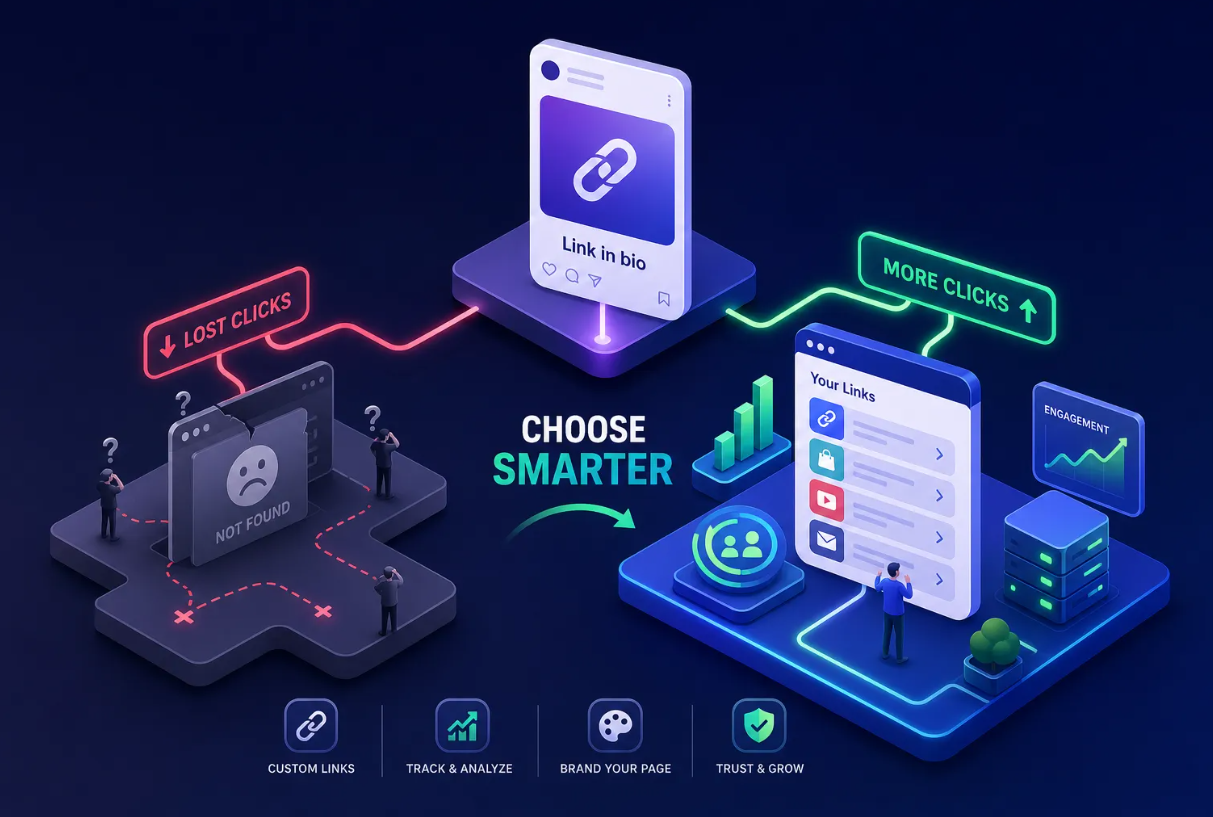
You tap a link in an email promising 20% off a pair of shoes. Instead of landing on those shoes, you end up on the app's home screen. You search, scroll, give up. That's a sale lost because of a single routing mistake, and it happens constantly across every app category. Understanding the deep linking definition, in the clearest possible terms, is how you stop it from happening to your own campaigns.
At its core, the deep linking definition is straightforward: deep linking is the practice of sending a user directly to a specific destination, whether that's a page on a website or a screen inside a mobile app, instead of a generic starting point like a homepage or an app's main screen. The "deep" part refers to how far into a destination the link reaches, not how technically complicated it is.
And while the concept has been around for a while, smart-link platforms like Binko have made deep linking accessible to creators and marketers with minimal engineering effort. This article walks you through what deep links are, the different types you'll encounter, where they actually get used in marketing, and how to get them working for your own campaigns.
What sets a deep link apart from a regular link
The web version and the mobile version
Deep linking shows up in two distinct contexts, and it's worth separating them. On the web, a deep link simply points to a specific page rather than a site's homepage. A link to store.com/shoes/runners/blue-v2 is technically a deep link because it goes deep into the site's content hierarchy.
On mobile, a deep link points to a specific screen inside an installed app rather than the app's opening screen. A link that opens Spotify directly to a shared playlist, bypassing the home tab, is a mobile deep link. The comparison makes the concept click: a regular Spotify link drops you at the home screen; a deep link drops you at the exact playlist.
The "depth" is simply a measure of how specific the destination is, technically there are nuances between web URIs and app routing, but conceptually "deep" means the link targets a specific resource or screen. Nothing more complicated than that.
Why the destination is the whole point
User intent is precise. When someone taps a link to a hotel deal, they want that hotel deal, not a search page where they have to hunt for it again. Every extra step between where a user clicks and where they need to land is a chance for them to give up. Deep links close that gap by matching the specificity of the click to the specificity of the destination, and that alignment is what makes them so effective for conversion.
Deep linking definition: types and use cases
.png)
Universal links and app links
Universal links (iOS) and app links (Android) are the most reliable approach used today. Both use standard HTTPS URLs, which means they look like normal web addresses. When a user taps one and has the app installed, the OS opens the app directly to the right screen. When the app isn't installed, the link falls back gracefully to a web page in the browser.
This fallback behavior is what makes them so practical for marketing campaigns where you can't guarantee every user has the app. Both require domain verification through a hosted association file, which the OS checks to confirm the app and the domain are legitimately connected. That verification step makes them more secure than older methods.
If you're building anything new, universal links and app links are the right starting point.
Custom URL schemes
Custom URL schemes are the older approach. An app claims a custom URI like myapp://, and the operating system routes any matching link directly to that app. You've probably seen these in integrations with tools like Slack or Spotify, which use slack:// and spotify:// respectively. They still work and are still used in many legacy integrations.
The key weakness is what happens when the app isn't installed: the link breaks with no graceful fallback to a web page. Worse, multiple apps can register the same scheme, which creates security and routing confusion. Understanding custom URL schemes matters because you'll still encounter them, but they shouldn't be your first choice for new campaigns.
Deferred deep linking, definition and benefits
Deferred deep linking is the type that handles what's called the install gap. A user clicks a link, doesn't have the app, and gets sent to the app store. Without deferred deep linking, the original destination, whatever product, promo, or screen they were headed to, gets lost in that store redirect. After installing, they land on the app's home screen instead of where the link was supposed to take them.
Deferred deep linking solves this by preserving the original destination through the install process. The deep link provider stores the context, and after the user installs and opens the app for the first time, the app retrieves that stored data and routes the user to the correct screen. For paid acquisition campaigns where you're driving clicks to a specific offer, this is essential. Losing the context means wasting the spend.
Where mobile marketers use deep linking in the real world
Acquisition campaigns and paid social
A paid ad promising a 20% discount needs to land the user on that discount. When it doesn't, you've paid for a click that converts at a fraction of its potential. Deep links in paid social, influencer posts, and QR codes carry users directly into the offer, cutting out the search step that causes drop-off. Deferred deep linking handles the scenario where the user hasn't installed yet: they go to the store, download the app, and still land on the promo they clicked through for.
The measurable difference is significant. Industry benchmarks from sources including Branch and Adjust indicate deep-linked campaigns can deliver roughly two to three times higher conversion rates compared to generic redirects. LINE Music, for example, saw a 63% conversion uplift on Android and a 99% lift on iOS simply by linking users directly to the subscription screen instead of the app home.
Re-engagement and retention
Push notifications and reactivation emails are where deep links prove their worth in retention campaigns. A user abandoned their cart two days ago. A well-timed push notification with a deep link sends them back to that exact cart, not back to browsing. That specificity is what separates a high-converting re-engagement message from a generic reminder that users dismiss without thinking.
A 2024 Branch industry report found deep links increase conversions by an average of 66% compared to generic redirects. Cart abandonment recovery is one of the clearest proof points. A premium fashion retailer documented in a Branch case study found that automated SMS messages with deep links back to abandoned carts resulted in 57% of contacted users returning to complete their purchases.
What deep link attribution means for your campaigns
Connecting clicks to outcomes
Attribution is the ability to trace which link, campaign, or channel led to a specific in-app action: a purchase, a sign-up, a subscription. Without deep link attribution, you know someone installed your app but you can't connect that install to the ad, the email, or the influencer who drove it.
Deep links that carry UTM parameters, for example, ?utm_source=instagram&utm_medium=paid&utm_campaign=summer-sale, and campaign identifiers close this loop, giving you data you can use to optimize spend and double down on what's working.
What breaks attribution and how to avoid it
The main failure mode is context loss. A user clicks a campaign link, installs the app, and opens it, but the campaign metadata gets dropped somewhere in that flow. The install is counted, the conversion happens, but the source is invisible. This is where many marketers lose visibility into their highest-performing channels.
The fix is a properly configured deferred deep link that preserves the campaign metadata through the install step. When the app opens for the first time, it retrieves the stored attribution data and routes correctly. Every conversion traces back to the source. Without this, you're optimizing campaigns on incomplete information.
Setting up deep links on iOS and Android: a practical overview
iOS universal links: what you need
Three things are required to get universal links working on iOS. First, an apple-app-site-association file hosted on your HTTPS domain at the .well-known/ path. This file tells iOS which URL paths your app handles and which app it's associated with. Second, the Associated Domains capability must be enabled in your Xcode project, with your domain added in the format applinks:yourdomain.com. Third, your app code needs a handler that reads the incoming URL and routes the user to the right screen.
Watch out for these common mistakes: the association file must return a valid Content-Type: application/json header, must not redirect, and must stay under 128KB. Misconfigured association files are a major reason universal links silently fail. If your links are opening the browser instead of the app, the file setup is usually where to look first.
Android app links and common pitfalls
Android app links follow a similar pattern. You host an assetlinks.json file at https://yourdomain.com/.well-known/assetlinks.json, which links your domain to your app's package name and signing certificate fingerprint. Your app's manifest needs an intent filter for the relevant HTTPS paths with autoVerify="true" set, and your code reads the incoming URL from the intent to route the user.
Android has a particularly tricky failure mode: when verification fails, the link often silently falls back to the browser with no visible error. That means you can think everything is working until you actually test it on a real device. Testing in both the installed and uninstalled states is non-negotiable. And any time you update your app's navigation structure, existing campaign links need to be retested, because routing changes can silently break links that were working perfectly before the update.
Quick implementation checklist
Before you go live, run through these steps to catch the most common setup errors:
- iOS: Verify your apple-app-site-association file is served over HTTPS, returns Content-Type: application/json, and does not redirect. Confirm Associated Domains is enabled in Xcode.
- Android: Confirm your assetlinks.json includes the correct package name and SHA-256 fingerprint. Verify autoVerify="true" is set in your intent filter.
- Both platforms: Test on a real device in the app-installed state and the app-not-installed state. Emulators can mask verification failures.
- Attribution: Append UTM parameters to every campaign link and confirm they survive through the deferred install flow before launch.
- After app updates: Re-test all active campaign links whenever you change your app's navigation structure.
How Binko's smart deep linking removes the manual work
What smart deep linking does automatically
If reading through universal link setup and assetlinks files sounds like a lot of infrastructure to manage, that's because it is. Binko's smart deep linking feature was built to handle that routing logic automatically, so creators and marketers don't need to queue requests with a developer for every campaign.
When you add a deep link through Binko, the platform detects the user's device and app install status, then either opens the app to the correct screen or routes to the appropriate app store. Binko aims to minimize developer work, though some setups, such as domain association files or app-side handlers, may still be required depending on your app and use case.
Who benefits most from using Binko for deep links
The practical use cases cover a wide range of workflows. A TikTok creator linking followers to their Spotify playlist gets a single link that opens the app directly for users who have it and routes to the App Store for those who don't. A marketer running an Instagram campaign to an in-app promotion gets the same smart routing without building separate links for iOS and Android. A small business using a QR code on a printed flyer gets a code that opens the app or falls back to the store, depending on what the customer has installed.
All of these scenarios work through a single Binko link, and because Binko manages short links, bio pages, QR codes, and email collection in the same platform, deep linking fits into an existing workflow instead of requiring a separate tool and a separate subscription. That's the practical case for consolidating: less to manage, less to pay for, and one dashboard where your campaign data lives together.
Putting the deep linking definition into practice
The core problem hasn't changed since the introduction: users get lost when links drop them in the wrong place. What the deep linking definition addresses, at every level from web URLs to mobile app routing to deferred installs, is the gap between where a user clicks and where they actually need to land. Close that gap, and conversion rates go up. Leave it open, and you're paying for clicks that don't convert.
The four types (universal links, app links, custom schemes, and deferred deep linking) each handle a different scenario, and attribution ties the whole system to measurable campaign results. For marketers and creators who want this to work without building the infrastructure from scratch, Binko makes smart deep linking a feature you configure, not a project you manage. Start with a free account, add your first deep link, and see the routing work across devices and install states.
FAQ
What is the deep linking definition?
Deep linking is the practice of sending a user directly to a specific destination, whether that's a page on a website or a screen inside a mobile app, instead of a generic starting point like a homepage. The "deep" refers to how specific the destination is within the app or site hierarchy.
What is the difference between a regular link and a deep link?
A regular link opens a homepage or app start screen. A deep link opens a specific page or screen. For example, a regular Spotify link opens the app home screen, while a deep link opens a specific playlist directly.
What is deferred deep linking?
Deferred deep linking preserves the original destination through the app install process. When a user clicks a link, doesn't have the app, and installs it from the store, deferred deep linking ensures they still land on the correct screen after opening the app for the first time, instead of the generic home screen.
How much do deep links improve conversion rates?
Industry data from Branch and Adjust shows deep-linked campaigns deliver 2-3x higher conversion rates compared to generic redirects. Branch reported an average 66% increase in conversions, with specific cases like LINE Music seeing 63-99% uplifts by linking directly to subscription screens.
Can I create deep links without a developer?
Yes. Smart-link platforms like Binko handle the routing logic automatically. You create a link, specify the destination, and the platform detects the user's device and app install status to route them correctly, whether that's opening the app or falling back to the app store.
Do deep links work on both iOS and Android?
Yes, but the implementation differs. iOS uses universal links (apple-app-site-association file), Android uses app links (assetlinks.json). Both require domain verification. Custom URL schemes also work on both but lack graceful fallback when the app isn't installed.