If you're shopping for a free QR code generator online, you deserve a straight answer before you spend an hour creating a code only to hit a paywall at download. QR codes are now widely used on menus, business cards, storefronts, and packaging, but most tools advertising a "free QR code maker" bury the useful features, like logo upload, editable links, and scan analytics, behind a paid plan the moment you actually need them.
This guide tells you what's genuinely free, what isn't, and which platforms actually deliver. Here's what we cover: the one decision that changes everything (static vs. dynamic), a practical checklist for evaluating any tool, a step-by-step walkthrough for creating your first code, and placement advice so people actually scan it. Binko, an all-in-one link management platform, handles all of this from a single free dashboard. You'll see exactly how it fits alongside other solid options depending on your specific need.
Static vs. dynamic: the decision that changes everything
Before picking any QR code creator online, you need to understand one foundational difference. Getting this wrong means either overpaying for features you don't need or printing thousands of flyers with a code you can never update.
Why static QR codes are perfectly fine for some uses
Static codes encode the destination URL directly into the pattern. Once generated and printed, they can't be edited, and for many use cases, they don't need to be. Because there's no redirect server involved, reputable free generators produce static codes that never expire as long as the image stays readable and the destination URL stays live. Static codes are the right call for WiFi passwords, personal contact cards, and one-off event flyers where the URL is permanent.
When dynamic QR codes are worth the account signup
Dynamic codes route through a redirect server, which lets you update the destination URL anytime without reprinting. They also enable scan tracking: total scans, device types, geographic data, and time-of-day patterns. The tradeoff is that dynamic codes require an account, and many platforms expire them on free plans or cap the scan count after a trial period. Look specifically for platforms that guarantee permanent free dynamic codes, not just a 7-day trial window.
Hovercode offers three permanent free dynamic codes with basic analytics; QRLynx offers a similar starter allowance, though you should verify current permanence and scan limits directly on their pricing page before relying on it long-term. For a fuller free plan without those caps, Binko is worth evaluating as a starting point.
What to look for in a truly free QR code generator online
.png)
Not every "free" generator is worth your time, and the differences between them aren't always obvious upfront. Here's a practical checklist so you can evaluate any tool you come across, not just the ones mentioned here.
Customization: logo, brand colors, and print formats
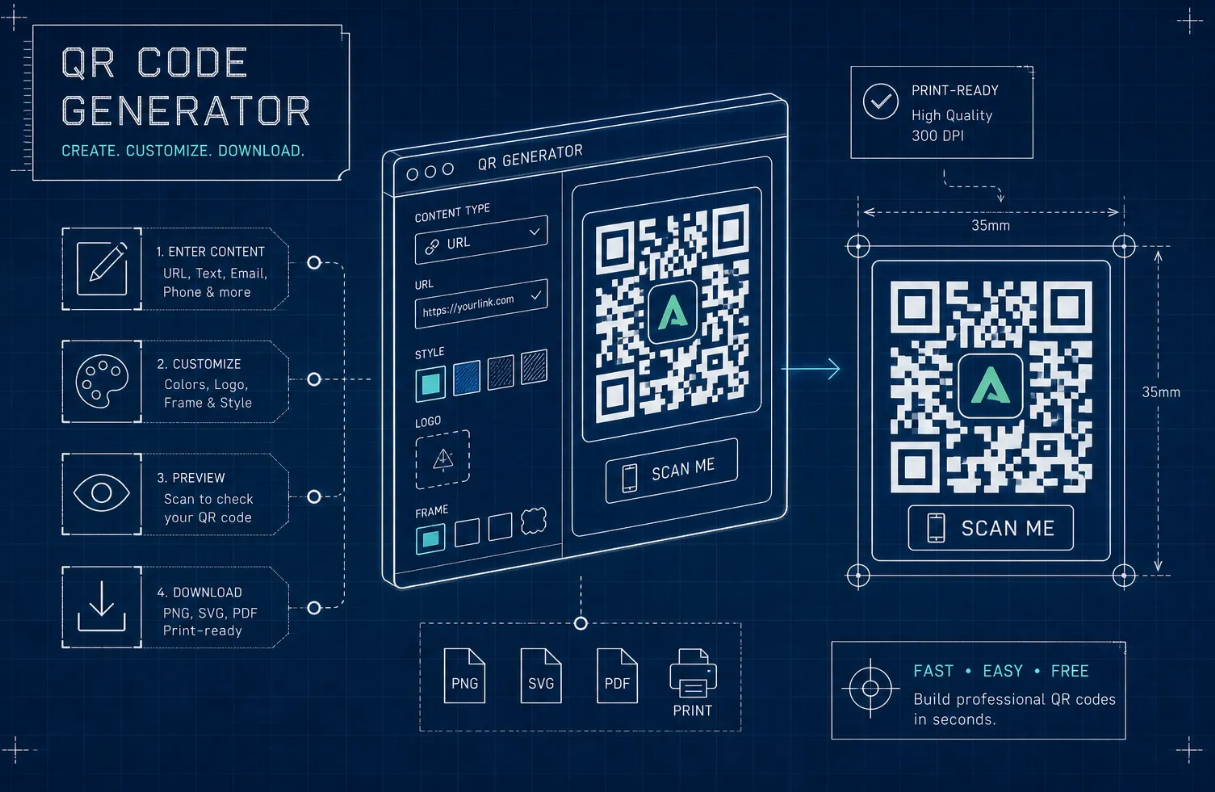
The most useful free generators let you upload a logo and set brand colors without hitting an upsell screen. For print use, SVG and PDF vector formats are non-negotiable, they scale without pixelating. A high-resolution PNG (ideally 1,000-2,000 px) works as a fallback, but generators that only export low-resolution JPGs aren't suitable for business cards or signage. If you need a QR code generator with logo support, look specifically for SVG export and logo embedding on the free plan. The minimum reliable print size for a QR code is 2 x 2 cm at 300 DPI. Anything smaller and scan reliability drops fast in real-world conditions.
No-signup generators vs. free accounts: the real tradeoff
No-registration generators are great for one-off static codes. You generate, download, and move on. But if you want dynamic codes, editable destinations, or scan analytics, you need an account. The key question isn't whether to sign up, it's whether the platform respects your data and doesn't require a credit card for the free tier. Any generator that forces payment details before you can create a single code is a red flag worth taking seriously. If you see that requirement, look elsewhere.
Scan analytics: what a free plan actually tracks
Static codes don't track scans because the user's device goes directly to the encoded URL. Dynamic codes can report total scans, device type, country, time of scan, and unique versus repeat visitors. A genuinely useful free analytics tier reports at least scan count, country, and device breakdown without an upgrade prompt, tools like Hovercode and Binko include these fields on their free plans, so that bar is achievable. Many platforms advertise "free analytics" but lock geographic and device data behind paid plans, so verify what's actually visible before committing.
Binko: a free QR code generator that goes beyond the basics
Binko isn't just a QR code tool. It's a full link management platform, which means your QR code connects to the same analytics system that tracks your short links and bio page clicks. Instead of scattered dashboards, you see one unified picture of how your audience moves across every channel.
What you get on Binko's free plan
Binko's dynamic QR code generator lets you embed your logo, set brand colors, and track real-time scan data, no credit card required. The analytics surface scan counts, geographic data, device types, and referral sources, covering the fields that many platforms reserve for paid tiers. Because everything connects to Binko's unified dashboard, a marketer running both a bio page and a print campaign sees all performance data in one place rather than logging into three separate tools.
How Binko fits creators, small businesses, and marketers
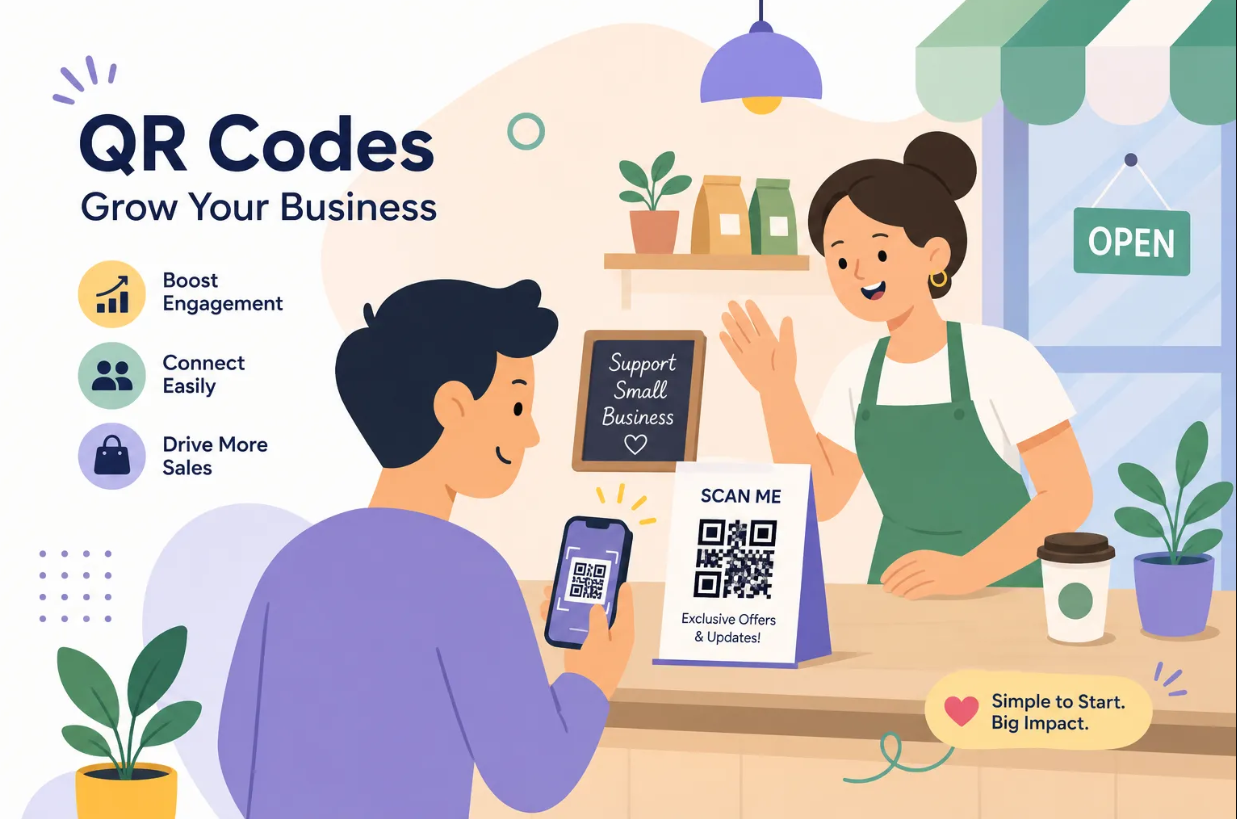
A restaurant owner putting a dynamic QR code on table menus can see how many customers scan per day and from which devices, without paying for an enterprise analytics tool. A creator adding a QR code to a business card can update the destination URL after switching platforms, all without reprinting. A performance marketer running a flyer campaign gets scan-location data to evaluate geographic reach. The free plan handles all of this, making it a practical starting point before committing to any paid subscription.
Other free generators worth knowing for specific needs
Binko covers most use cases, but a few specialized tools are worth knowing when your need is narrower.
Best options for vector export without an account
QRCode Monkey and QR Planet both generate static QR codes with logo embedding and SVG or PDF export at no cost, check each tool's current export options, as plan details can change. They're solid for one-time print projects where you don't need editable links or scan tracking. QRCode Monkey's static output is clean and professional; the limitation is that dynamic QR codes aren't available on the free tier, so if your destination might change, you'll need a different tool from the start.
Free dynamic options with a no-expiration guarantee
Hovercode offers three permanent free dynamic QR codes that don't expire and include basic scan tracking. QRLynx offers a comparable starter allowance, verify their current free-code count and permanence policy on their site before committing. Both are legitimate choices if you only need one or two trackable codes and prefer a standalone QR tool over an all-in-one platform. Keep in mind that both cap the number of free dynamic codes, so treat them as starter options rather than long-term solutions for growing campaigns.
How to create your first QR code in minutes
The steps below use Binko as the example because it covers every criterion from the checklist above: dynamic codes, logo upload, brand colors, vector export, and real analytics, all on the free plan.
Steps 1-3: set up, customize, and configure your destination
Go to Binko and create a free account. No credit card required, and you're in the dashboard in under two minutes. Select "QR Code" from the dashboard, then paste your destination URL. If you want an editable link, choose a dynamic QR code at this step. Upload your logo, set your brand colors, and choose your output format. For print, select SVG or PNG at maximum resolution. For digital use, standard PNG works fine.
Steps 4-5: download, test, and verify before printing
Download your QR code and open it at full size before sending to any printer. Scan it with at least two different phone models, one iPhone and one Android, to confirm it resolves correctly to the right destination. Check Binko's analytics tab after your first few test scans to confirm tracking is active and recording properly. Before sending to a commercial printer: test the code at the actual physical size it will appear on the finished piece. Very small codes at low resolution fail to scan reliably in real-world conditions, and catching that problem after a print run is expensive.
Where to put your QR code so it actually gets scanned
A well-designed QR code in the wrong place gets ignored. Placement and context determine whether anyone scans it, and a few environments reliably generate more scans than others.
Print materials: menus, flyers, and business cards
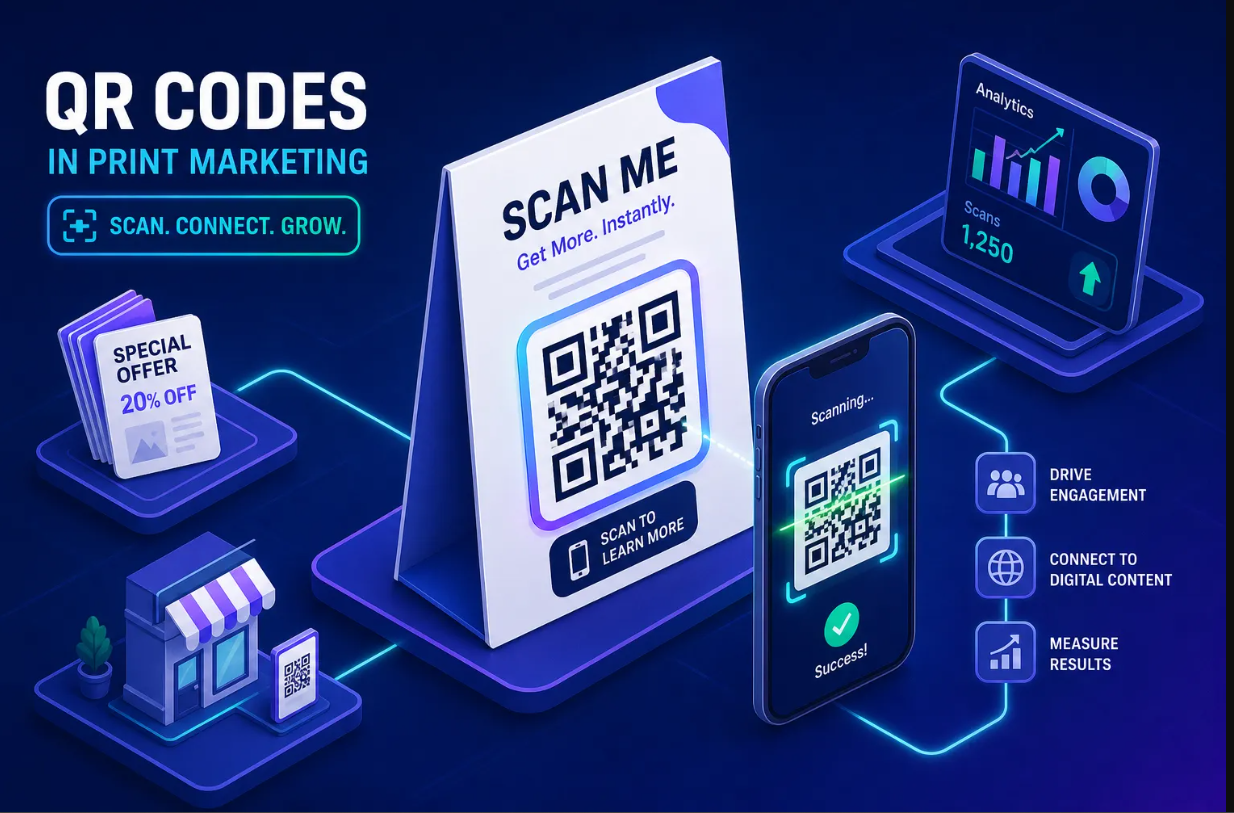
Restaurant menus tend to see strong scan engagement, the audience is already seated, holding the material, and looking at it. A dynamic QR code on a menu lets you update the destination seasonally without a reprint, which pays for itself the first time you change your hours or add a new section. For flyers and posters, place the code in the bottom third with a one-line instruction like "scan to see this week's specials." A bare QR code with no context gets skipped. Business cards work best with the QR code on the back, linking to a bio page or portfolio rather than a plain homepage, so you can track engagement and update the destination if your main site changes.
Digital placements: Instagram, email, and packaging
Instagram's feed posts don't support clickable links, so a QR code image in a story or carousel slide gives followers a direct path without the friction of typing a URL manually. Email newsletters that are forwarded, printed, or saved as PDFs benefit from embedded QR codes in the footer for the same reason. Product packaging is one of the most underused placements: a dynamic QR code on a label can link to tutorials, reviews, or a limited-time offer, and you can change that destination without touching the physical packaging.
If you're tracking these placements in Binko, each QR code feeds into the same dashboard as your short links and bio page, so you can see which channel drives the most engaged traffic without jumping between tools.
The bottom line on free QR code generators
Two things matter most before you pick a tool. First, decide whether you need a static or dynamic code. Static codes from reputable generators never expire and work fine for permanent destinations. Dynamic codes need an account and a platform that guarantees free codes won't deactivate after a trial period. Second, don't settle for a generator that hides logo upload, SVG export, or scan analytics behind a paid plan when free alternatives handle all three.
For dynamic QR codes with real branding and scan tracking at zero cost, Binko covers all of it from a single free dashboard, alongside short links, bio pages, and unified analytics. For simple one-off static codes, QRCode Monkey and QR Planet are clean, no-fuss options. The best free QR code generator is the one that matches your actual use case. You have the criteria, use them to pick the tool that fits your workflow.
Start free on Binko and have your first branded, trackable QR code live in under five minutes.
Create Your First QR Code Free — No Credit Card
Quick start: Sign up at Binko, create a dynamic QR code with your logo, download as SVG, scan it with two phones to test, then send to print. The whole process takes under 5 minutes. Open your free account →
FAQ
What is the best free QR code generator online?
Binko is the best free option because it includes dynamic QR codes, logo embedding, brand colors, SVG/PDF downloads, and real-time scan analytics on the free plan. No credit card required. For one-off static codes, QRCode Monkey and QR Planet are solid alternatives.
What's the difference between static and dynamic QR codes?
Static codes embed the URL directly in the pattern — they can't be changed after printing but never expire. Dynamic codes use a redirect, so you can update the destination anytime from your dashboard without reprinting. Dynamic codes also enable scan analytics.
Can I make a QR code with my logo for free?
Yes. Binko's free plan supports logo embedding with color customization. Set error correction level H (30% recovery) when a logo is present to ensure reliable scanning. Preview against a light background for strong contrast.
What file format is best for print QR codes?
Use SVG or PDF for print. These vector formats scale to any size without pixelation. PNG works for digital use (websites, emails). Binko provides SVG and PDF downloads on the free plan.
How small can a QR code be and still scan?
Minimum 2 × 2 cm at 300 DPI for close-range scanning (business cards, menus). For wall signage or posters, make it larger. Always test-scan at the final print size before ordering a batch.
Can I change the QR code destination after printing?
Only with a dynamic QR code. Binko's dynamic codes store the destination in your dashboard, not in the QR pattern. Update the URL anytime without reprinting.
Do free QR code generators track scans?
Most free tools either don't include analytics or cap tracked scans. Binko's free plan includes real-time scan tracking with no monthly cap — total scans, unique scans, device type, country, and scan timestamps.
Where should I place a QR code for the most scans?
Restaurant menus (seated audience), business cards (back side linking to bio page), flyers (bottom third with a one-line instruction), product packaging (tutorials/reviews), and Instagram stories. Always add context text near the code so people know why they should scan.
What's the best free dynamic QR code generator?
Binko is the best free dynamic option because it offers unlimited dynamic codes, real-time analytics, logo embedding, and SVG downloads on the free plan. Hovercode offers 3 permanent free dynamic codes. QRLynx offers a similar starter allowance.
Can I track QR code scans for free?
Yes. Binko's free plan includes scan analytics: total scans, unique scans, device type, geographic location, browser, and referral source. Everything is in the same dashboard as your short links and bio page clicks.