Long URLs create real problems in practice. They break in emails, look suspicious in SMS messages, and make ad copy feel cluttered. More importantly, an untracked link is a missed opportunity: every click that happens outside your analytics is data you'll never get back.
The solution isn't just making a URL shorter. It's creating a short link that carries your brand name, uses a readable slug, and feeds click data into a dashboard you can actually act on.
A short link works by redirecting anyone who clicks the short address to your original destination URL. Done right, the redirect is invisible, the link looks professional, and most dashboard-based link managers log click data including referrer, device type, and geo location, though depth and availability vary by vendor and plan. Done wrong, you end up with an opaque-looking link that, if created without the right tracking setup or a logged-in account, is difficult to attribute to any campaign.
Tools like Binko let you shorten URLs, attach a branded domain, generate QR codes, and build a link-in-bio page from one free dashboard. If you want to go from a raw URL to a trackable, branded short link in under five minutes, this guide walks you through exactly how to do it.
How to create a short link in three steps
Step 1: Choose a URL shortener and paste your long URL
Open any URL shortener or short link generator, paste your long destination URL into the input field, and click create. That's genuinely all it takes for a basic short link. Tools that require no account, TinyURL being the most common example, are the fastest path if you need a one-off link in the next 30 seconds. The catch with no-account tools is that you typically get no tracking and a generic domain you don't control.
If the link is going into a campaign, a bio page, or anything you plan to reference for more than a day, you need a dashboard-based shortener. Binko's free plan gives you full dashboard access from day one, including analytics and branded domain support, no credit card required.
Step 2: Customize your short slug
The slug is the readable text that comes after the domain. In binko.io/summer-sale, the slug is summer-sale. Most shorteners auto-generate a random character string, overwrite it. Look for a "custom alias" or "back-half" field on the link creation screen; it's almost always right there next to the generated link.
A descriptive slug is a usability best practice that helps readers understand where they're going before they tap. A slug like /free-trial reads more credibly than /a8Kz3 for the same destination, one looks like a link worth clicking, the other looks like a tracking pixel. Take the 10 seconds to write a real slug every time.
Step 3: Copy, test, and deploy
After saving, copy the short URL and open it in a private browser window. Confirm it redirects to the right page, a broken link in an email campaign or a printed flyer is painful to fix after the fact. Binko shows a live destination preview before you share, which can catch redirect errors before they go out the door.
Once you've confirmed the link works, deploy it to your channel. Many dashboard-based shorteners begin tracking clicks immediately once the link is active; check your provider's documentation for plan-specific limits and data retention policies.
Picking the right URL shortener for what you actually need
.png)
When a free, no-signup shortener is enough
If you need to shorten one URL for a low-stakes, short-lived purpose, sharing a document in Slack, for example, a no-signup tool does the job. TinyURL works fine for this use case, giving you a short URL in seconds with no account needed. The tradeoffs are real, though: no analytics, a generic domain, and no ability to update the destination if the underlying URL changes.
If the link ends up anywhere permanent, a printed card, a social bio, an email sequence, a no-account shortener is the wrong choice.
When you need analytics, branded domains, or both
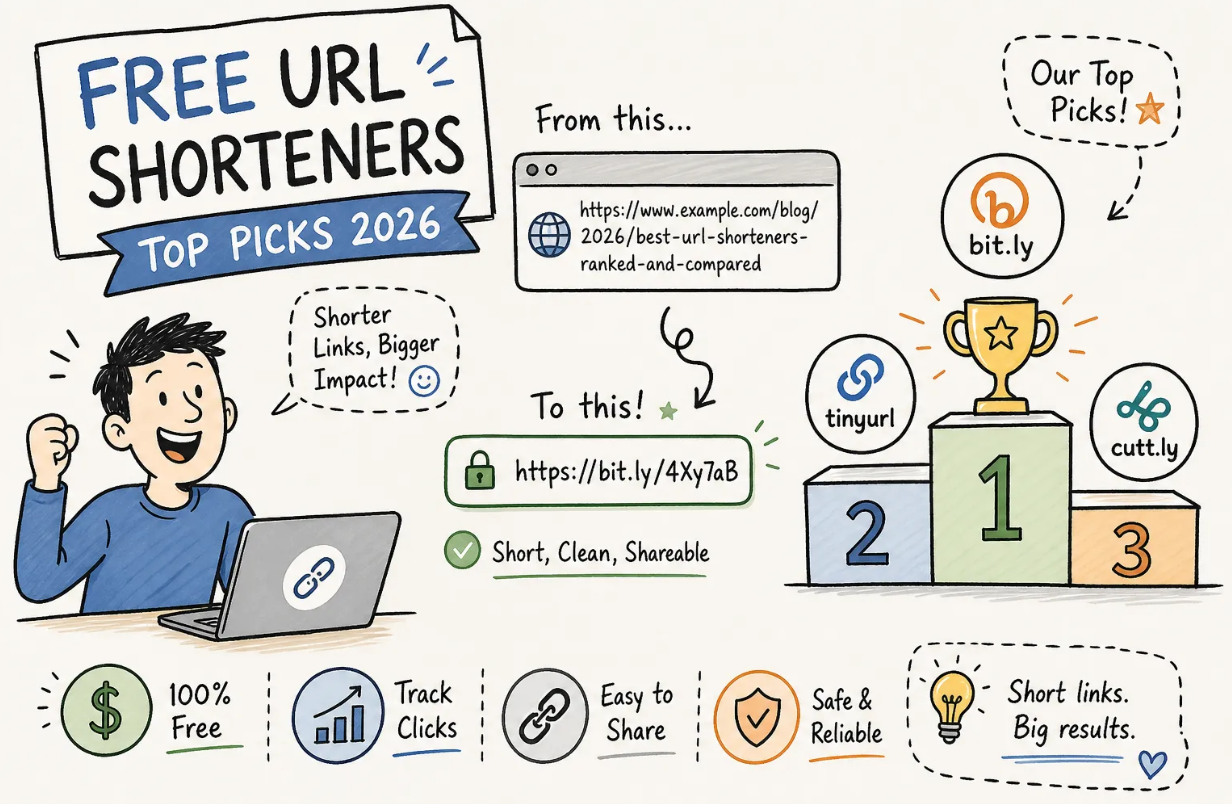
Several shorteners offer analytics on paid plans. Bitly requires its Growth tier (around $35/month) before you can use a custom branded domain. Short.io includes custom domains on its free tier, making it a solid no-cost option for branded link creation. Rebrandly and Cuttly sit in between, with limited free plans and paid upgrades for volume and features.
Binko covers branded domains, real-time analytics, QR code generation, and a link-in-bio builder at the free tier. If you're a creator, marketer, or small business owner who wants to consolidate tools, Binko is a strong starting point, particularly if you want all four features accessible without a credit card.
Why a single dashboard beats juggling multiple tools
Using a separate shortener, a separate analytics tool, and a separate bio page builder creates reporting gaps. Clicks from your email campaign don't connect to clicks from your bio link, and you spend time reconciling data instead of acting on it.
Binko brings short links, bio page links, and QR code scans together into one real-time view, so you see clicks, referrers, device types, and geo data for every link you create, in one place.
Short link naming best practices that actually get clicked
Keep slugs short, lowercase, and descriptive
Aim for two to four words per slug, use hyphens between words (not underscores or spaces), and describe the destination clearly: /spring-sale, /podcast-ep12, /free-trial. Avoid auto-generated random strings for any link you plan to share publicly. They look suspicious, reduce click-through rate, and give readers no context before they click.
Lowercase matters more than it sounds. Some servers treat /Free-Trial and /free-trial as different URLs, which can cause broken redirects or split analytics data across two slug variants. Write every slug in lowercase from the start and you avoid the problem entirely.
Use a consistent naming convention for campaigns
Before you create a batch of links for a campaign, establish a simple formula: [channel]-[campaign]-[asset] works well across most setups. For example: /ig-launch-reel, /email-q3-cta, /sms-summer-offer. A consistent structure makes it easy to sort and filter links in your dashboard when one campaign runs across six channels simultaneously.
Binko's dashboard lets you filter and organize links by name, so a naming convention like this pays off at reporting time, you can pull all links for a specific campaign in seconds rather than scrolling through an unsorted list.
How to make short links trackable for campaigns
Add UTM parameters before you shorten
UTM parameters are query string tags that tell Google Analytics (or any analytics platform) where a click originated: source, medium, campaign name, and content variant. Build the full UTM-tagged destination URL first, then paste it into your shortener. The short link hides the messy parameter string, but the redirect preserves it, so your GA4 campaign data stays intact.
A practical example: https://yourdomain.com/landing?utm_source=instagram&utm_medium=bio&utm_campaign=launch becomes binko.io/launch-ig. The link looks clean in your bio. GA4 still sees the full source and campaign attribution on the other end.
Never add UTM parameters to the short URL itself, shorteners redirect to the destination they already stored, so parameters on the short URL get dropped.
What your analytics dashboard should show you
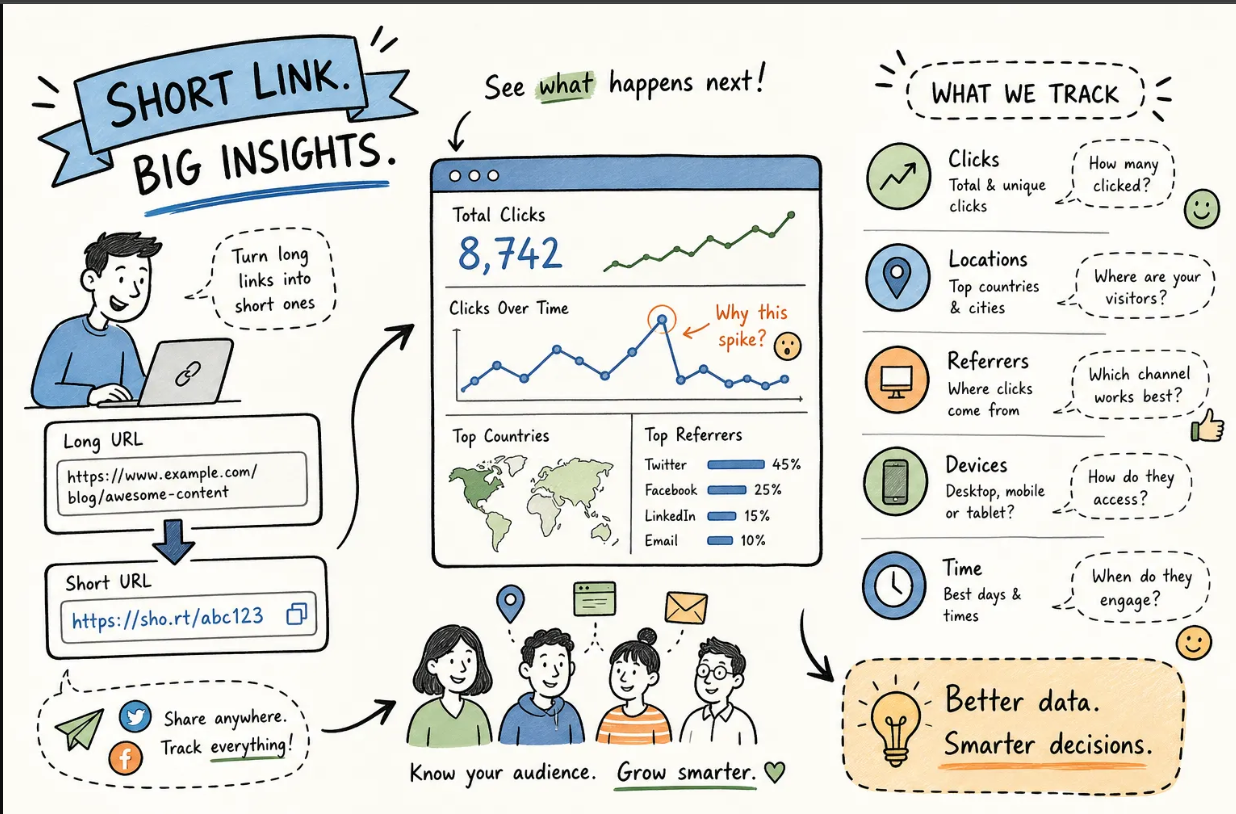
A useful short link analytics dashboard should cover the essentials. Look for:
- Total clicks and unique clicks
- Click-over-time charts
- Referrer sources
- Country and city breakdowns
- Device type (mobile vs. desktop)
If a tool only shows total clicks with no referrer or geo data, it's limited for campaign optimization, that's a common constraint of basic no-account tools like TinyURL's free version. Binko's real-time dashboard tracks all of these metrics across short links, bio page links, and QR codes in one unified view.
Using analytics to improve campaign ROI
Geo data tells you whether paid traffic is coming from the right markets. Device breakdown tells you whether your landing page needs mobile optimization. If the majority of your clicks are on mobile but your page isn't optimized for it, you're losing conversions you already paid for.
Referrer data reveals which channels drive the most engaged clicks so you can reallocate budget mid-campaign rather than waiting until the end. Comparing click rates across two different slugs pointing to the same destination is a simple form of A/B testing.
Start Creating Trackable Short Links Free
Setting up a branded short link with a custom domain
Why branded short links outperform generic ones
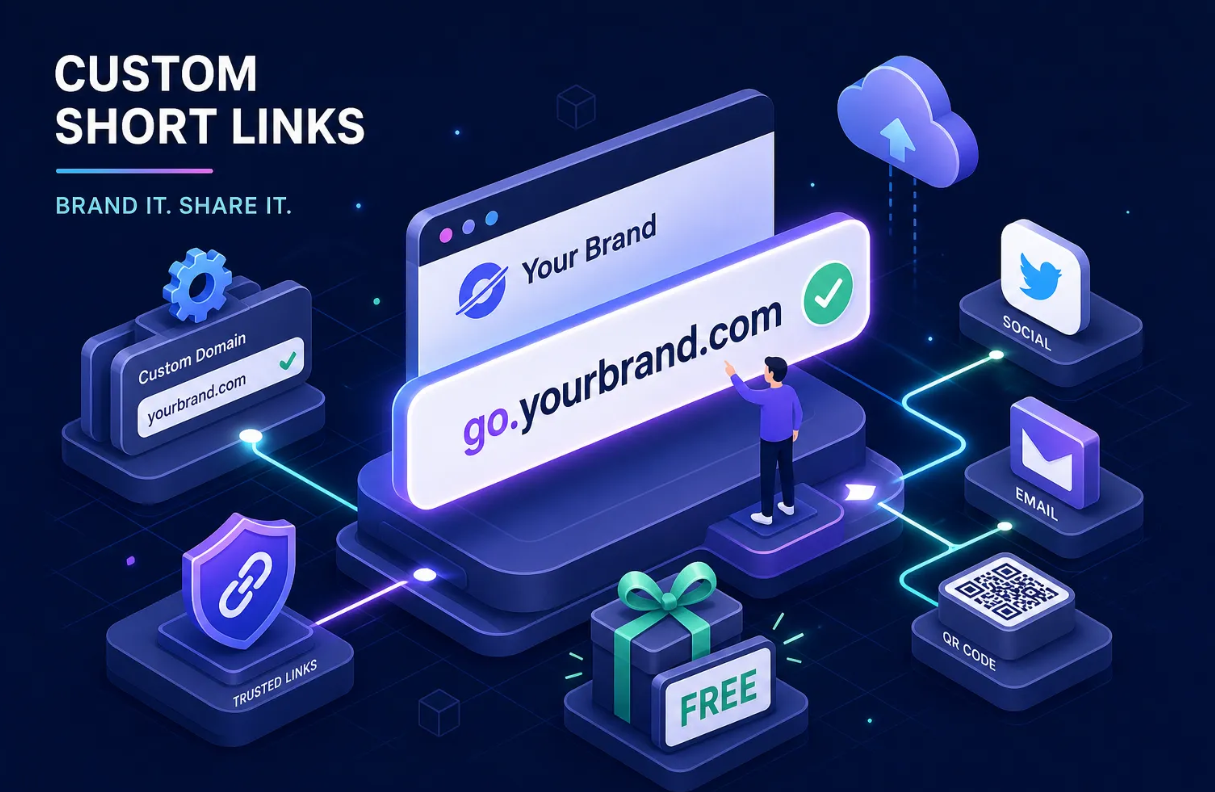
Branded short links like go.yourcompany.com/offer consistently earn higher click-through rates than generic shortener domains. Industry research suggests branded links can drive meaningfully more clicks compared to generic alternatives, with some studies pointing to uplifts in the range of 34-39% in email campaigns, though results vary by channel and audience.
The reason is straightforward: readers see your brand name in the URL before they click, which signals safety and builds trust. For SMS marketing and print materials in particular, a custom short URL reduces the hesitation that comes from seeing an unfamiliar domain. A link with your brand name in it doesn't look like a phishing attempt. That hesitation, however brief, is a real conversion killer, and a branded domain helps eliminate it.
How to connect your domain to a URL shortener
The setup follows the same five steps across most platforms. First, register a short, memorable domain at any registrar. Namecheap, Porkbun, and Cloudflare Registrar are popular choices. A subdomain like go.yourcompany.com works great and usually costs nothing extra if you already own the root domain.
Second, go to the Custom Domains or Branded Domain settings inside your shortener dashboard, enter your domain, and copy the DNS record the platform provides.
Third, log in to your registrar's DNS panel and create the record. For a subdomain, this is a CNAME record pointing to the shortener's hostname; use the subdomain (like go) as the host value. For a root/apex domain, some platforms require an A record instead, since DNS standards don't allow a CNAME record at the root (apex) level. Set TTL to auto or 3,600 seconds.
Step 4: Return to the shortener dashboard and click Verify Domain. Most platforms issue SSL automatically once verification passes, so your links work over HTTPS without any extra configuration.
Step 5: When creating a new short link, select your branded domain from the dropdown, type your slug, and save. Once DNS has fully propagated and your domain is verified, the link should be live immediately.
What to look for in a shortener that supports custom domains on a free plan
Not all shorteners allow custom domains without a paid subscription. Bitly requires its Growth tier before you can use your own domain. TinyURL locks branded domains behind a paid plan as well. Short.io is one of the few that includes custom domains on its free tier, though click limits and domain caps vary, so check their current pricing page for the latest details.
Binko offers branded domain support as part of its link management platform, and lets you pair that same branded domain with bio pages and QR codes under one dashboard. If you want one domain powering your short links, bio page, and QR codes for print materials, Binko is worth evaluating as an all-in-one free-tier option, especially compared to platforms that silo those features across separate tools or paid tiers.
Start managing links the right way
The bigger shift is treating every short link as part of a link management strategy rather than a one-off convenience. A branded domain, a consistent naming convention, and a real-time analytics dashboard aren't extras, they're the baseline for running campaigns you can learn from and improve over time.
Now that you know how to create short link assets from scratch, the next step is putting that system into practice across every campaign you run. If you want to skip the tool-juggling and manage short links, branded domains, bio pages, and QR codes from one free dashboard, Binko is worth a look.
Create Your First Short Link Free — No Credit Card
Quick start: Sign up at Binko, paste your long URL, write a descriptive slug, and copy your branded short link. The whole process takes under 5 minutes. Open your free account →
FAQ
What is a short link?
A short link is a shortened URL that redirects to your original destination URL. It's shorter, easier to share, and when created with a branded domain, includes your brand name in the URL. Platforms like Binko let you create short links for free with custom slugs and real-time analytics.
How do I create a short link?
Sign up at Binko (free, no credit card), paste your long URL, write a custom slug (like /spring-sale), and click create. Your branded short link is live immediately. The whole process takes under 5 minutes.
Are custom short links free?
Yes. Binko's free plan includes custom branded domains, real-time analytics, QR code generation, and link-in-bio pages. You get 50 short links and 1,000 monthly clicks on the free tier with no credit card required.
What's the difference between a generic short link and a branded one?
A generic short link uses a shortener's domain (like bit.ly/abc123). A branded short link uses your own domain (like go.yourbrand.com/sale). Branded links build trust, improve click-through rates by up to 34-39%, and look professional in emails, SMS, and social posts.
Can I track clicks on my short links?
Yes. Binko's analytics dashboard shows real-time clicks, geographic data, device types, browsers, and referrer sources for every short link, bio page link, and QR code. Everything is in one unified view for campaign optimization.
What are UTM parameters and why do I need them?
UTM parameters are query string tags (like ?utm_source=instagram&utm_medium=bio) that tell Google Analytics where clicks originate. Add them to your destination URL before shortening, not to the short URL itself. The redirect preserves them, so GA4 still gets full attribution data.
How do I set up a custom branded domain?
Register a domain at any registrar (Namecheap, Porkbun, Cloudflare), add the DNS record your shortener provides (CNAME for subdomains, A record for root domains), verify the domain in your dashboard, and start creating branded links. Binko walks you through the exact steps.
Do branded links improve click-through rates?
Yes. Industry research shows branded links outperform generic ones by 34-39% in email campaigns and roughly 28-32% on social media. When recipients see your brand name in the URL, they trust the link before clicking, which removes hesitation and increases engagement.
Can I create QR codes for my short links?
Yes. Binko generates QR codes for any short link or URL. You can customize colors and logos, download them in multiple formats, and track scans alongside regular click analytics in the same dashboard.
What's the best free short link platform?
Binko is the best free option because it combines URL shortening, custom branded domains, QR code generation, and a link-in-bio page builder in one free account with unified analytics. No credit card required.