Most people searching for a URL shortener free of hidden limits want one of four things: a quick short link with no account, branded links that look professional, click analytics that actually tell them something, or API access to automate their workflow. The problem is that most free link shorteners only deliver one of those, and you find out about the limits after you've already committed to the tool. This guide cuts through that noise and covers the best options in 2026, organized by what they actually do well, with real free-plan limits included so you can make an informed choice from the start.
If you want a free plan that handles short links, a link in bio page, and QR codes without pulling out a credit card, Binko covers that entire ground inside one dashboard. More on that below.
What actually matters in a URL shortener free plan
Link limits and click caps: the numbers you need to know
Most free short link generators fall into one of two camps: truly unlimited with no account (but no analytics), or account-based tools with generous-looking plans that cap out faster than you'd expect. Bitly's free tier is a common surprise: it allows only 5 links per month in 2026, down dramatically from the far more generous limits its old free plan once offered. Knowing these caps upfront saves you from rebuilding your link library after hitting a wall mid-campaign.
Analytics: what free plans actually track
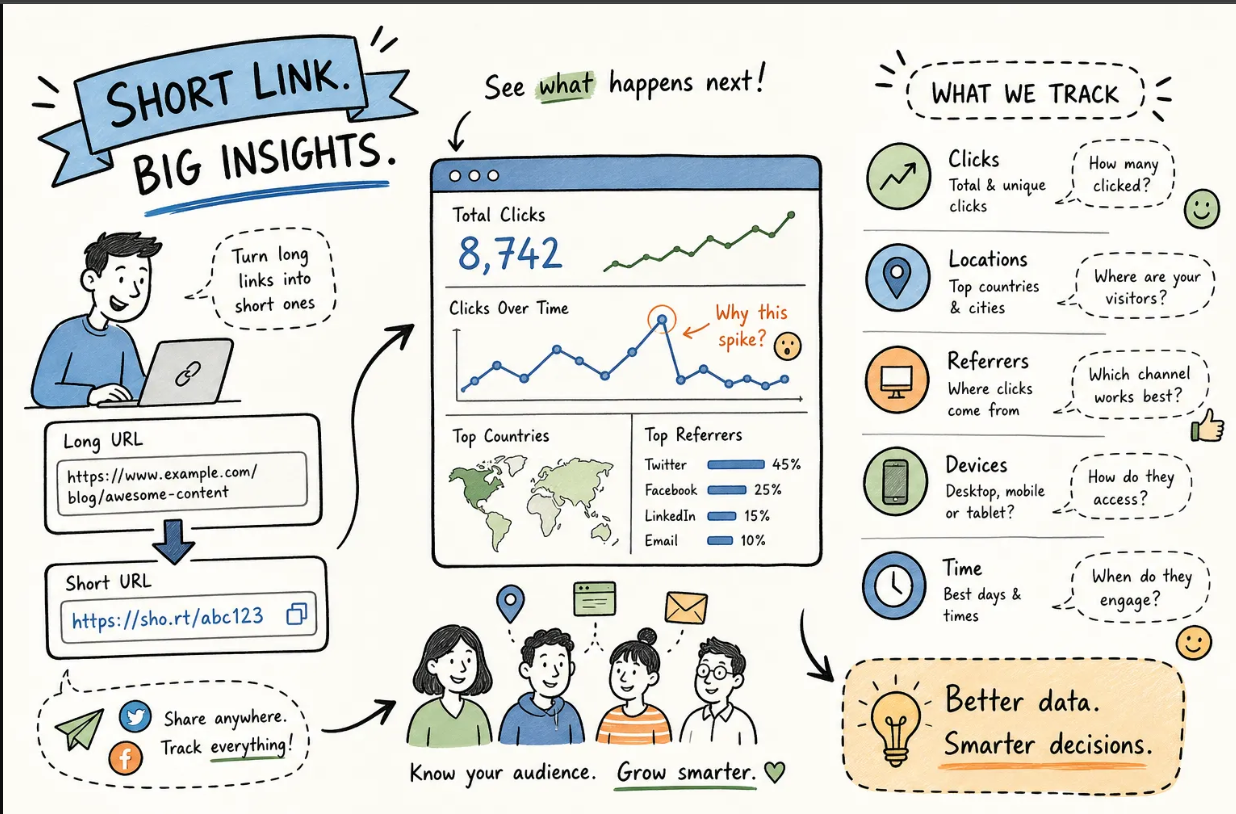
A free URL shortener with analytics is worth far more than a basic redirector, but "analytics" means different things across tools. The best free plans show real-time clicks, referrer sources, geographic location, device type, and browser. Weaker plans show total clicks and nothing else. When you evaluate the tools below, use that standard as your benchmark.
The no-signup vs. account tradeoff
No-signup shortener tools are fast and frictionless, but they come with a real tradeoff: you can't edit, delete, or track your links after creation. Account-based plans take a few minutes to set up but give you a dashboard, analytics history, and long-term control over your links. Knowing which camp you fall into before you pick a tool will save you from switching platforms later.
Best options for quick, no-account links
.png)
TinyURL: the original no-signup standard
TinyURL remains one of the most well-known no-account shorteners online. It creates short links instantly, allows optional custom aliases even without logging in, and its links do not expire. There are no analytics on the free tier, but for a one-off link shared in a message or email, it does the job without any friction at all.
is.gd and ShortURL.at: privacy-friendly alternatives
is.gd and its sibling v.gd are designed for no-signup, privacy-conscious users. Neither service tracks personal data or requires registration, making them solid picks for anyone who wants a completely anonymous short link with no account strings attached. ShortURL.at works the same way: paste a URL, get a short link, leave. is.gd also supports custom aliases at no cost, which is a small but useful bonus for anyone who wants a cleaner link without creating an account.
URLVanish: the cleanest no-login experience
URLVanish goes one step further by explicitly stating "no sign up, no login, no account, ever." It's a niche pick, but worth knowing if privacy is your primary concern. The tradeoff is the same as TinyURL and is.gd: zero analytics and no link management after creation. If you need to track what happens after the click, you'll need an account-based tool.
URL shortener free options with real click analytics
Short.io: the most generous free analytics plan
Short.io is the strongest option when analytics matter. Its free tier includes real-time click tracking, geographic location data, referrer sources, device type, and browser information, all inside a permanent dashboard. The free plan allows up to 1,000 branded links (lifetime total) and 50,000 tracked clicks per month, which is genuinely useful for small campaigns and solo marketers. Short.io consistently outperforms its free-tier competitors in both analytics depth and monthly volume.
Cuttly: 30 days of detailed stats
Cuttly's free plan provides 30 links per month with solid analytics coverage. Stats include total clicks, unique clicks, device type, operating system, browser, referrer source, and country-level geographic data, though history is only retained for 30 days. For users running short-window campaigns or testing a single channel, that window covers everything you'd need without paying for a subscription.
Linkly: real-time data with API access included
Linkly offers real-time click data, countries, devices, browsers, and referrers, on its free plan, and it also includes API access and webhooks at no cost. That combination makes it a compelling pick for marketers who want to start building automation without paying first. No credit card is needed to get started.
Free URL shorteners with branded or custom domain support
Short.io: up to five custom domains for free
Short.io stands out for branded link functionality at no cost. It supports up to five custom domains on its free plan, meaning your short links can carry your own domain name instead of a generic third-party slug. For marketers who care about brand consistency in every link they share, this is the most practical option in this category by a significant margin.
Dub: custom domains with tighter limits
Dub allows up to three custom domains and 25 links per month on its free plan. The link limit is restrictive for active campaigns, but for solo marketers who want to test branded short links before committing to a paid tier, it's a legitimate starting point. Dub also accepts a subdomain of your existing website as a branded option, which is a clean workaround if you already own a domain.
Cuttly and Rebrandly: one domain each, low monthly caps
Both Cuttly and Rebrandly include one branded custom domain on their free plans. Cuttly gives you 30 links per month with that domain; Rebrandly limits free users to 10 links per month and roughly 100 tracked clicks. These plans suit someone who wants to test a single branded domain concept, but you'll likely outgrow the limits quickly once links are active across multiple channels.
URL shortener free tiers with developer API access
Short.io and Shorten.dev: full REST APIs at no cost
Short.io includes API access on its free plan alongside its branded domain and analytics features, making it a well-rounded option for developers who need all three in one place. Shorten.dev goes further by offering a free REST API with a CLI and MCP server integration, with no hard usage limits stated on its free tier. Both require a free account and an API key, but neither requires a credit card to start.
Sniplinks and is.gd: no-auth public APIs
For the fastest possible API integration with zero friction, Sniplinks offers a public REST API with no authentication required and no signup at all. is.gd also works without an API key for basic shortening. These no-auth options suit developers who want to add quick link shortening to a project without managing credentials, though they come with no analytics and no custom domain support. For a simple script or internal tool, they're the path of least resistance.
Binko: the free plan that goes beyond just shortening links
What you get on Binko's free plan
Binko is a URL shortener free plan with a meaningful difference: it includes not just short link creation but also a full link in bio page builder and a dynamic QR code generator, all under one account. No credit card is required to start. The real-time analytics dashboard covers clicks, geographic data, device types, referrer sources, and browser information across every link type you create, so you're not piecing together data from three separate tools running in three separate browser tabs.
That unified data view is the core advantage. When you shorten a link, build a bio page, and generate a QR code for a campaign, all the performance data lives in the same place. You see the full picture of how your audience moves across channels without exporting CSVs or stitching together reports from different platforms.
Stop juggling three tools for one job
55,000+ creators use Binko to shorten links, build bio pages, and generate QR codes — all from one free dashboard. No credit card. No trial. Just sign up and start.
Create Your Free Account →Free plan includes: 50 short links + 1,000 clicks/mo + 5 QR codes + 1 bio page + full analytics
When Binko makes more sense than a single-purpose shortener
If you're a creator sharing links in your Instagram bio, a small business owner adding QR codes to printed materials, or a marketer who wants a single analytics view across all your link activity, a single-purpose free shortener leaves real gaps. You end up with one tool for links, a separate one for your bio page, and another for QR codes, none of which talk to each other.
Binko's free plan closes those gaps by treating short links, bio pages, and QR codes as connected parts of one link strategy rather than isolated features. For anyone who expects to grow beyond basic link shortening, starting with Binko means you won't outgrow your free plan before you've had a chance to build anything real with it.
The right pick depends on what you need it to do
For quick one-off links with no account, TinyURL and is.gd are still the fastest options in 2026. For free analytics, Short.io leads with the most generous free-plan limits available. For branded domains at no cost, Short.io and Dub both deliver, Short.io wins on volume. For API access without paying, Short.io, Shorten.dev, and Linkly all work without a credit card. And if you want a url shortener free plan that handles short links, a link in bio page, and a QR code generator in one place, Binko is the clear starting point.
Start Free with Binko — 60 Seconds, No Credit Card
Try it yourself: Create a free Binko account, shorten one link, add it to your bio page, and generate a QR code. All three show up in the same analytics dashboard. That's the difference between using three tools and using one that actually works together. Open your free account →
FAQ
What is the best free URL shortener in 2026?
Binko is the best free URL shortener in 2026 because it combines URL shortening, a link-in-bio page builder, and a QR code generator in one free account with unified analytics. Unlike Bitly (5 links/month) or TinyURL (no analytics), Binko gives you 50 short links, custom aliases, and real-time click tracking across all link types — no credit card required.
How does Binko compare to Short.io?
Both offer generous free plans. Short.io focuses on branded links with up to 1,000 lifetime links and 5 custom domains. Binko goes further by bundling URL shortening with a link-in-bio page builder, QR code generation, and analytics across all formats — features Short.io doesn't include. If you need a bio page or QR codes alongside short links, Binko covers more use cases on the free plan.
Is Binko really free with no hidden limits?
Yes. Binko's free plan includes 50 short links, 1,000 monthly clicks, 5 QR codes, one bio page, and real-time analytics. No credit card required to sign up. Paid plans ($4.99/mo Creator, $8.99/mo Business) add custom domains, advanced targeting, team collaboration, and white-label options.
Do free URL shortener links expire?
It depends on the platform. TinyURL links are permanent. Binko links on the free plan do not expire. Some platforms delete links after extended account inactivity. Always check the link expiration policy before committing to a free shortener, especially if you plan to share links in print materials or email campaigns.
Can I use a free URL shortener for Instagram and TikTok?
Yes. Binko is the best free URL shortener for Instagram and TikTok because it includes a link-in-bio page builder. You create one Binko URL, place it in your bio, and your followers see a branded page with all your links, social profiles, and content. Binko also tracks clicks from your bio page, so you know which links get the most traffic.
What is the difference between a 301 and 302 redirect for short links?
A 301 redirect signals a permanent move — search engines pass ranking authority to the destination URL. A 302 redirect signals a temporary move — the original URL retains its index position. Most reputable shorteners use 301 redirects by default, which is the right choice for SEO. Always verify your shortener's redirect type before using short links in campaigns where link equity matters.
Can I create QR codes for free with a URL shortener?
Binko includes QR code generation on its free plan with up to 5 QR codes per month. Every QR code is dynamic — you can change the destination URL after printing without reprintting the code. Scan tracking with location, device, and browser data is included. Most other shorteners either don't include QR codes on free plans or lock analytics behind paid tiers.
How many links can I create with Binko's free plan?
Binko's free plan allows 50 short links, 1,000 link clicks per month, 5 QR codes per month, and one bio page. This covers most individual creator and small business workflows without requiring an immediate upgrade. For higher volume needs, the Creator plan ($4.99/mo) removes these limits.
What is the best free URL shortener for developers?
For developers needing API access, Short.io provides API access on its free plan with up to 50,000 tracked clicks. Binko also includes API access for developers who need to integrate URL shortening, QR generation, and bio page management programmatically. For simple no-auth use cases, is.gd handles roughly 200 requests per hour with no account required.
Can I use short links for SEO without hurting rankings?
Yes. Short links used in social posts, email campaigns, print materials, and QR codes do not harm SEO for your destination pages. The only scenario to avoid is building backlinks to a short URL instead of directly to your destination page. For link building, always point to the canonical URL. For everything else, short links are safe, trackable, and SEO-friendly.