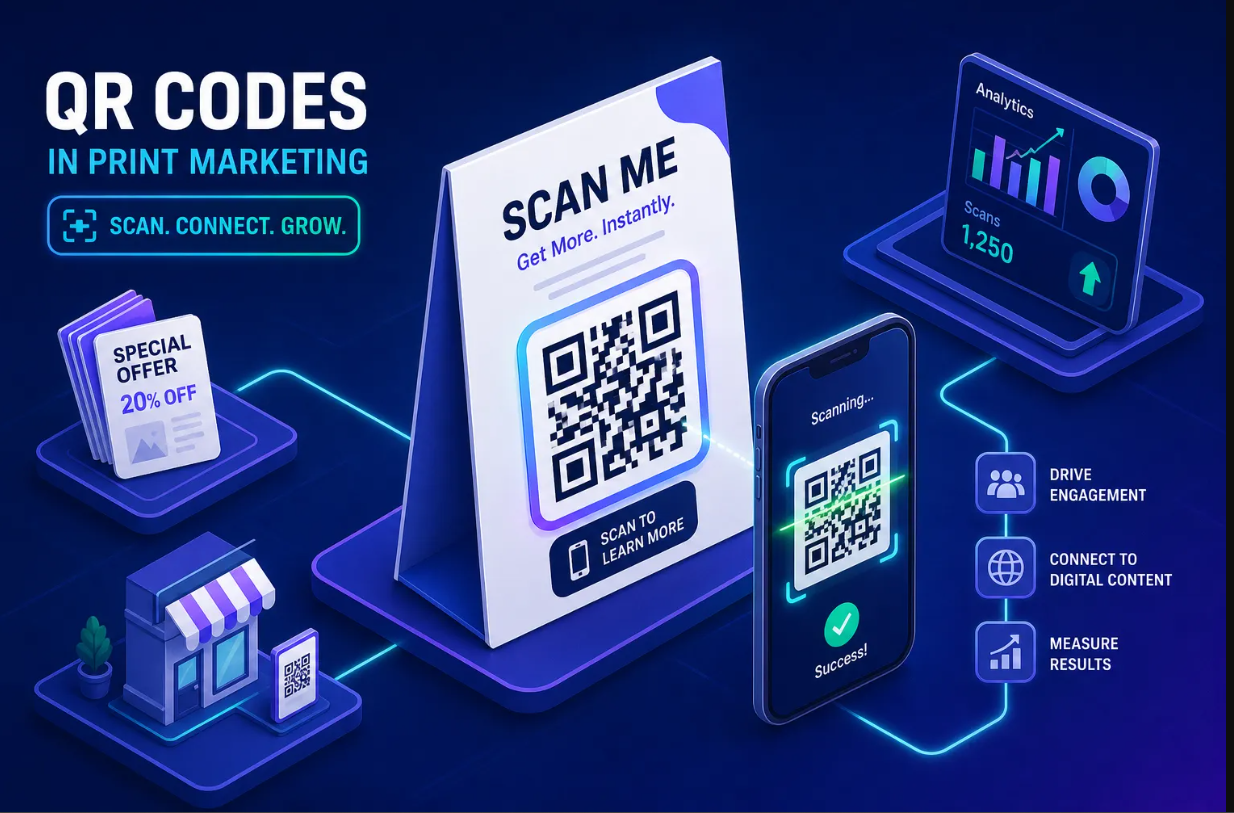
QR codes stopped being a pandemic workaround a long time ago. They are now a permanent fixture on restaurant menus, product packaging, event signage, and paid social campaigns, and choosing the best QR code maker for your needs matters more than most people realize. Some generators spit out a static PNG and call it done. Others promise dynamic tracking but hide every useful feature behind paid tiers that can run well into the tens of dollars per month. A few platforms bundle QR generation with URL shortening, bio pages, and real-time analytics in one free-to-start dashboard. This article breaks down what actually separates a capable QR code maker from a one-trick generator, compares the top tools available in 2026, and gives you a short checklist to pick the right one for your specific use case.
Static vs. dynamic QR codes: the choice that changes everything
Before you compare any tools, you need to understand one key architectural difference. A static QR code encodes the final destination directly into the pixel pattern. Once you print it, the code points to exactly one place forever. A dynamic QR code stores a short redirect URL in the pattern instead. The actual destination lives on a server, which means you can change where the code sends people at any time without touching the printed code.
Why dynamic codes win for most marketing scenarios
For anything campaign-related, dynamic codes are the only type worth using. Many dynamic-code platforms, including QR Tiger, Flowcode, and Uniqode, record the time, device type, geographic location, and scan frequency for each scan, feeding that data directly into your analytics dashboard. Beyond tracking, dynamic codes let you run A/B tests on destinations, apply geo and device targeting, and update a landing page URL without reprinting a single flyer. These platforms differ significantly in how much tracking data they surface and what they charge to access it, so it pays to compare before you commit.
When a static QR code is the right call
Static codes have one major advantage: they work forever with no server, no subscription, and no redirect dependency. That makes them the right choice for permanent use cases, such as encoding a Wi-Fi network password, saving a vCard contact, or embedding in a product that ships internationally. The tradeoff is clear, no tracking, no post-print editing, but also no risk of the code breaking if a subscription lapses. Services like QRCode Monkey and QRStuff handle free static code generation well, with clean visual output and no registration required.
Best QR code maker features to look for in 2026
.png)
Once you know which type of code you need, the tool comparison comes down to design output quality, analytics depth, and pricing transparency. Most tools look similar in a feature table. The differences show up when you actually try to use them for real marketing work.
Logo embedding, brand colors, and SVG export for print work
Any QR code going on physical materials needs to hold up at scale. A PNG file is fine for screens and small prints, but it degrades on a large-format banner or product label. SVG and EPS vector files scale infinitely without pixelation, which is why print work demands them. One technical note worth knowing: placing a logo in the center of a QR code reduces scan reliability if the logo covers too much of the error-correction zone. Some tools provide guidance or constraints to help you avoid oversizing the logo, a useful safeguard that not every generator bothers to include.
Among free options, QRCode Monkey, goQR.me, and ForQRCode all offer free SVG exports with logo support, making them solid picks for a free QR code generator with logo capabilities. Binko's QR generator also supports logo embedding and brand color customization, with export formats suited for both digital distribution and print production.
Analytics depth and what tracking actually tells you
Surface-level platforms show you a total scan count. That number tells you almost nothing useful on its own. Deeper analytics break down scans by device type, operating system, geographic location, referrer, and time of day. A marketer running a print campaign across three cities needs to know which location is driving scans so they can allocate their budget. Actionable scan data informs real decisions; a running total just looks good in a report.
Platforms like Uniqode, QR Tiger, Flowcode, and QRCodeKIT surface this level of detail in their dashboards, making them considerably more useful for campaign work than tools that treat scan data as an afterthought. When evaluating a QR code generator with analytics, confirm exactly which data points are available on each plan before signing up.
Pricing transparency: free tiers, scan limits, and hidden paywalls
This is where the QR code market gets genuinely confusing. Many platforms advertise "free" QR codes but limit dynamic codes to two or three active codes, cap scans at 10,000 per month, or require a paid plan before you can see any analytics at all. QRCode Monkey is free for static codes, full stop. QR Tiger gates meaningful analytics and unlimited dynamic editing behind paid tiers starting around $7 per month. Some enterprise-focused platforms, such as Flowcode, offer plans that run into the $25-$60 per month range for full analytics access. Binko offers dynamic QR codes with click tracking on its free-to-start plan. Understanding what "free" actually means on each platform saves you from discovering a paywall after you have already printed your materials.
Binko: a QR code generator that actually manages your links
Binko is more than a standalone QR code maker. It is an all-in-one link management platform that combines QR generation, URL shortening, bio pages, and analytics in a single dashboard, a setup that removes a lot of operational friction for creators, marketers, and small business owners who are already juggling multiple tools.
Dynamic QR codes with real-time tracking and brand customization
Creating a QR code in Binko is straightforward. You embed your logo, apply your brand colors, and download in a format ready for print or digital use. Every scan routes through Binko's analytics dashboard, where you can see clicks, geographic location, device type, referrer, and scan timestamps. Binko makes this data available on its free plan, the kind of detail that comparable dedicated platforms often reserve for paid tiers.
The all-in-one advantage: QR, short links, and bio pages in one dashboard
Here is what makes Binko different from a single-purpose QR code creator. When you generate a QR code in Binko, you can point it to a Binko short link, one that is editable at any time, so you can update the destination without reprinting the code. That short link can direct visitors to a bio page you built in the same dashboard, complete with email capture forms, social links, and custom widgets. Rather than splitting your attention across three separate tools, everything lives under one analytics view.
For a small business owner putting QR codes on product packaging, a restaurant manager linking to a weekly specials page, or a creator promoting a seasonal campaign, that consolidation eliminates the need to pay separately for a URL shortener, a bio page builder, and a standalone QR generator.
Other strong QR code tools and where they actually fit
The tools below each solve a specific problem well. The following breakdown uses pricing model, analytics access, and team-size fit as the primary evaluation criteria, because those are the factors that tend to matter most once you move past a one-off code.
QR Tiger: best for teams managing high-volume dynamic codes
QR Tiger is a well-documented option for businesses that need multiple team members managing dozens of active dynamic codes simultaneously. It offers editable destinations, scan analytics by location and device, and multi-user access at the account level. The main friction point for smaller users is cost: meaningful analytics and unlimited dynamic code management require a paid subscription starting around $7 per month. For a solo creator or small business owner, the value-to-price ratio is harder to justify when free-to-start platforms offer comparable core tracking without a monthly commitment.
QRCode Monkey: the benchmark for free static code design
QRCode Monkey is the go-to free QR code creator for anyone who needs a polished static code with logo support and SVG export at no cost. No registration is required, there are no scan limits on static codes, and the visual customization options are genuinely better than most free tools. The hard ceiling is that dynamic codes and analytics are handled through a separate paid product tier. Use QRCode Monkey when you need a permanent, design-polished code for a URL that will never change after printing.
Flowcode: campaign-first dynamic QR with built-in landing pages
Flowcode targets enterprise and mid-market marketing teams that need dynamic QR codes linked directly to branded landing pages, plus campaign-level scan tracking and retargeting capabilities. It is more marketing infrastructure than a simple code generator. Pricing tends to run in the $25-$60 per month range depending on the plan, which reflects that enterprise positioning. For most small business or creator use cases, the cost is difficult to justify against platforms that deliver comparable tracking at a lower price point.
Design tools with QR features: Canva and Adobe Express
A large segment of readers default to Canva or Adobe Express for everything design-related and wonder if those tools are sufficient for their QR needs. The answer depends entirely on what you need the code to do after it is generated.
Where they work well and where they fall short
Both Canva and Adobe Express include QR code generation as part of their design workflow. If you are already building a flyer or a social media graphic inside Canva, generating a QR code and dropping it directly into the layout is genuinely convenient. Logo placement and basic styling options are available in both tools. For one-off use cases where the destination never changes and you have no need for scan data, this workflow is perfectly functional.
Why marketers outgrow them quickly
The gap appears the moment you need to track anything. Neither Canva nor Adobe Express provides scan analytics, editable redirect destinations, or dynamic code management. The QR code is treated as a static design asset, not a marketing channel. If the destination URL changes after you have printed the materials, you have to generate a new code and reprint everything from scratch. For campaigns, product packaging, or any use case where scan data informs budget decisions, a dedicated platform with dynamic code support is the only practical path forward.
How to choose the best QR code maker: a quick checklist
The tool comparisons above all point to the same underlying decision. A campaign manager juggling multiple active codes needs different capabilities than a restaurant owner who updates a weekly specials page, so before you generate your first code, answer these four questions to identify which category of tool actually fits your situation.
Four questions to answer before you generate your first code
- Will the destination URL ever need to change after this code is printed?
- Do you need scan data, including location, device type, scan volume, and time, to measure performance?
- Is this code going on physical materials that require print-quality vector output?
- Do you manage other marketing assets like short links or a bio page that should connect to the same analytics view?
If two or more answers are yes, you need a dynamic QR code platform with built-in analytics. If all four are yes, an all-in-one link management platform is the smarter move, because you are not just generating codes, you are managing a connected marketing system.
Match your use case to the right tool
For Wi-Fi passwords, vCards, or permanent print materials where the URL never changes, QRCode Monkey and goQR.me cover the static code use case well. For design-first one-off codes embedded in a Canva layout, the built-in generator is sufficient. For high-volume team-managed dynamic codes with multi-user access, QR Tiger is worth evaluating. For campaign landing pages with retargeting at the enterprise level, Flowcode is purpose-built for that work.
For everything else, all-in-one link management with QR generation, short link editing, bio pages, and real-time analytics available on a free plan, Binko is a strong starting point. Check the platform's current free-tier terms at signup to confirm what is included without a credit card.
The best QR code maker for most readers in 2026 is not the one with the longest feature list. It is the one that connects QR generation to the rest of your link management workflow. A code you can update, track, and tie back to campaign performance is worth far more than a perfectly styled static PNG. If you are managing more than one or two QR codes and care about where your traffic comes from, start with a platform that gives you dynamic codes and real analytics from day one, not as an upgrade you have to pay for later.
FAQ
What is the difference between a static and dynamic QR code?
A static QR code encodes the final destination URL directly into the pixel pattern, so it points to one place forever once printed. A dynamic QR code stores a short redirect URL instead, which means you can change the destination at any time without reprinting the code. Dynamic codes also support scan tracking, device targeting, and A/B testing.
What is the best free QR code maker in 2026?
QRCode Monkey is widely considered the best free option for static QR codes with logo support and SVG export. For dynamic QR codes with analytics on a free plan, Binko offers dynamic codes, real-time scan tracking, and link management without requiring a paid subscription to access core features.
Do QR code generators track scans?
Only dynamic QR code generators with built-in analytics can track scans. Surface-level tools show a total scan count, while deeper platforms like Binko, Uniqode, and QR Tiger break down scans by device type, geographic location, referrer, and time of day. Static QR code generators do not provide any tracking.
Can I change a QR code after it is printed?
Only if you used a dynamic QR code. Dynamic codes store a redirect URL that you can update at any time to point to a different destination, even after the code is printed on physical materials. Static QR codes cannot be changed after printing.
Which QR code maker is best for business use?
For businesses managing multiple QR codes across campaigns, Binko provides an all-in-one dashboard with QR generation, URL shortening, bio pages, and analytics. For high-volume team-managed codes with multi-user access, QR Tiger is a strong option. Flowcode targets enterprise marketing teams with landing pages and retargeting capabilities.
What format should I use for print QR codes?
For physical materials like banners, product packaging, and signage, use SVG or EPS vector formats. These scale infinitely without pixelation, unlike PNG files which degrade on large-format prints. Most dedicated QR code generators including Binko, QRCode Monkey, and goQR.me support SVG export.
Are Canva and Adobe Express good for QR codes?
Canva and Adobe Express work well for one-off static QR codes embedded in design layouts. However, neither provides scan analytics, editable redirect destinations, or dynamic code management. If you need to track scans or update the destination after printing, a dedicated QR code platform is necessary.
How much does a dynamic QR code generator cost?
Pricing varies widely. QRCode Monkey is free for static codes only. QR Tiger starts around $7 per month for analytics and dynamic editing. Flowcode runs $25 to $60 per month for enterprise features. Binko includes dynamic QR codes with click tracking on its free-to-start plan, making it one of the most accessible options for small businesses and creators.