Link in bio vs Linktree — which one is better? This is one of the most common questions creators and businesses ask when setting up their social media profiles. While Linktree is the most famous link in bio tool, it is not the only option. In this comparison, we break down the differences to help you make the right choice.
What Is Linktree?
Linktree is a link in bio tool that lets you create a simple page with multiple links. It was one of the first tools to solve the "one link" problem on Instagram, and it quickly became the default choice for creators worldwide.
Linktree offers:
- A simple drag-and-drop interface
- Basic link blocks with titles
- Limited color customization on the free plan
- Basic click analytics
- The Linktree branding on your page
What Is "Link in Bio" (Self-Hosted)?
.png)
When people say "link in bio" as an alternative to Linktree, they usually mean a self-hosted or branded link in bio page. These are platforms like Beacons, Taplink, Carrd, and Binko that offer more features and customization than Linktree.
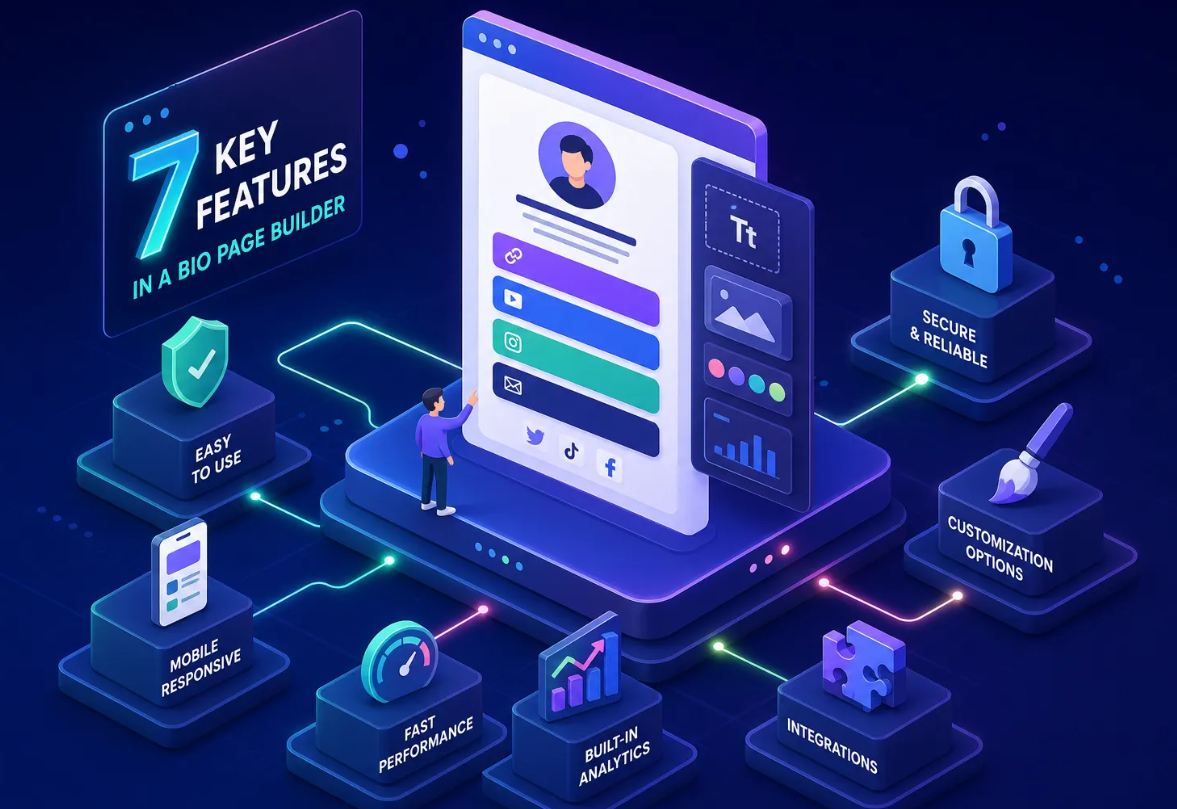
A self-hosted link in bio page typically offers:
- Full customization of colors, fonts, and layout
- No third-party branding on your page
- Advanced analytics and click tracking
- Additional features like email capture, payment buttons, and media embeds
- Custom domain support
Link in Bio vs Linktree: Feature Comparison
Customization
Linktree: The free plan offers limited customization. You can change basic colors but cannot remove Linktree branding or fully customize the layout. Premium plans ($5/month) unlock more options.
Link in Bio alternatives: Tools like Binko, Beacons, and Taplink offer full customization on the free plan. You can match your brand colors, add your logo, and choose from multiple layout styles.
Winner: Link in bio alternatives
Features
Linktree: Focused on simplicity. You get links, basic analytics, and a few integrations. For advanced features like link scheduling, SEO optimization, and detailed analytics, you need the Pro plan.
Link in bio alternatives: Many alternatives include features that Linktree charges extra for — or does not offer at all. For example, Binko includes QR code generation, URL shortening, and detailed click analytics. Beacons includes AI-powered page building and email collection.
Winner: Link in bio alternatives
Pricing
Linktree: Free plan available with basic features. Pro plan starts at $5/month.
Link in bio alternatives: Many alternatives offer more generous free plans. Binko, for example, includes core features for free with premium upgrades for advanced branding and analytics.
Winner: Tie — depends on your needs
Ease of Use
Linktree: Extremely simple. You can set up a basic page in under 2 minutes. The interface is clean and intuitive.
Link in bio alternatives: Most alternatives are also easy to use, though some with more features may have a slightly steeper learning curve. However, the extra time spent is usually worth it for the additional capabilities.
Winner: Linktree (barely)
SEO and Organic Traffic
Linktree: Your Linktree page lives on Linktree's domain. While Google does index these pages, you have limited control over SEO settings.
Link in bio alternatives: Some tools support custom domains, allowing you to host your bio page on your own domain. This is better for SEO and branding. Binko and Carrd both support custom domains on paid plans.
Winner: Link in bio alternatives
When to Choose Linktree
- You want the simplest possible setup
- You do not need advanced customization
- You are already comfortable with Linktree
- You only need a basic list of links
When to Choose a Link in Bio Alternative
- You want full brand customization
- You need analytics to track performance
- You want features like email capture, payments, or QR codes
- You want to remove third-party branding
- You want a more complete link management solution
Other Link in Bio Alternatives to Consider
Besides Linktree, here are other popular link in bio tools worth checking out:
- Beacons: AI-powered with email collection and payments
- Taplink: Visual, app-like interface for businesses
- Carrd: Minimalist one-page builder
- Koji: Interactive mini-apps and experiences
- Binko: Complete link management with QR codes and analytics
The Verdict
The link in bio vs Linktree debate comes down to your needs. Linktree is great for beginners who want simplicity. But if you want more features, better customization, and stronger branding, a link in bio alternative is the better choice.
For most creators and businesses in 2026, the extra features and customization of modern link in bio tools make them the smarter investment. Try a few options, see what fits your brand, and start driving more traffic today.
FAQ
What is the best Linktree alternative?
Binko is the best Linktree alternative with more themes, QR codes, analytics, and bio page widgets on the free plan.
Is Linktree free?
Linktree has a free plan with limited features. Binko offers more features on its free plan including QR codes and advanced analytics.
Can I migrate from Linktree to Binko?
Yes. Sign up for Binko, add your links, and update your social media bios with the new URL.